Valentine Heart Split Monogram SVG: The Ultimate Guide for Cricut & Silhouette Crafters
Are you searching for a unique, personalized touch for your Valentine’s Day crafts? The Valentine Heart Split Monogram SVG is the perfect way to infuse romance and individuality into your DIY projects! Whether you’re a seasoned crafter or just starting out, this versatile SVG design will help your creativity bloom.
What is a Valentine Heart Split Monogram SVG?
A Valentine Heart Split Monogram SVG is a digital design file featuring a heart shape with a stylish split section in the center. The split area is ideal for adding names, initials, or special messages. SVG stands for Scalable Vector Graphics, which means the design can be resized without losing quality—making it perfect for both small and large projects.
This type of SVG is especially popular for Valentine’s Day because it combines romantic symbolism (the heart) with the personalization of a monogram. You can use it to create custom gifts, home décor, cards, and much more!
Why Use SVG Files for Crafting?
SVG files are the gold standard for digital crafting, especially when working with cutting machines like Cricut and Silhouette. Here’s why:
- Scalability: SVGs can be resized infinitely without losing clarity.
- Editability: You can easily customize colors, text, and elements to suit your project.
- Compatibility: Supported by all major cutting machines and design software.
- Precision: Perfect for intricate cuts, detailed designs, and multi-layered projects.
Popular Uses for Valentine Heart Split Monogram SVGs
The versatility of the Valentine Heart Split Monogram SVG means you can use it across a wide range of projects. Here are some favorite ideas:
1. Personalized Gifts
Add a loved one’s name or initials to the split monogram for a truly customized present. Popular gift ideas include:
- Tote bags
- T-shirts or baby bodysuits
- Wooden signs or plaques
- Mugs and tumblers
2. Home Décor
Decorate your home for Valentine’s Day or year-round romance. Use the SVG to create:
- Throw pillow covers
- Wall art
- Table centerpieces
- Door hangers
3. Cards & Stationery
Impress friends and family with handmade cards featuring your heart monogram. The SVG works beautifully for:
- Greeting cards
- Gift tags
- Envelope seals
- Bookmarks
4. Party Decorations
Planning a Valentine’s Day party, bridal shower, or wedding? Use your split monogram SVG for:
- Banners and garlands
- Cake toppers
- Confetti
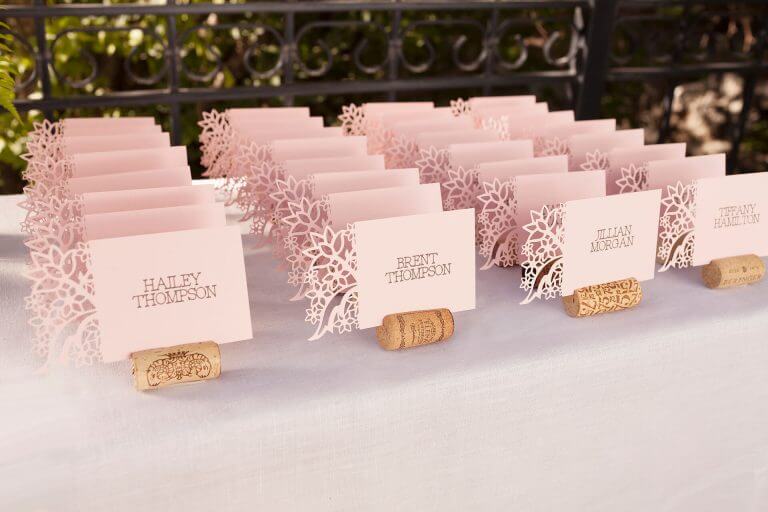
- Table place cards
Best Materials for Valentine Heart Split Monogram SVG Projects
Your material choice depends on the project, but the following are tried-and-true favorites for SVG cutting:
- Adhesive Vinyl: Perfect for mugs, tumblers, and glassware.
- Heat Transfer Vinyl (HTV): Ideal for fabrics like t-shirts, tote bags, and pillow covers.
- Cardstock: Great for cards, banners, and paper crafts.
- Wood: Use with a laser cutter or engraver for signs and home décor.
- Felt: Lovely for soft crafts and garlands.
- Acrylic: For modern, durable ornaments or keychains (requires specialized cutting tools).
When choosing materials, always check compatibility with your cutting machine’s settings and blade type.
Tips for Beginners: Getting Started with Heart Split Monogram SVGs
If you’re new to SVG crafting, don’t worry! Here are some friendly tips to help you succeed:
1. Choose the Right Software
Programs like Cricut Design Space, Silhouette Studio, or Adobe Illustrator are great for importing and editing SVG files. Make sure your software is updated for maximum compatibility.
2. Test Cut First
Before working on your final material, always do a test cut on a scrap piece. This ensures your settings are correct and saves material.
3. Personalize the Split Area
Add a name, date, or sweet message in the split section. Most SVG split monogram files leave this space blank for easy customization.
4. Layer with Care
If your SVG design includes multiple layers (like different colors), take your time aligning each layer. Use transfer tape for vinyl projects to keep things crisp.
5. Keep Your Blades Sharp
Clean, sharp blades are essential for precise cuts, especially on intricate monogram designs.
6. Explore and Experiment
Don’t be afraid to try new materials and color combinations! SVG crafting is all about creativity and fun.
How to Use a Valentine Heart Split Monogram SVG on Cricut and Silhouette
Ready to bring your split monogram to life? Here’s a quick step-by-step guide:
- Download the SVG File: Choose a design you love. Make sure it’s in SVG format for best results.
- Upload to Your Design Software: Open Cricut Design Space or Silhouette Studio and import the SVG.
- Customize: Add your monogram, name, or message in the split area using your software’s text tool.
- Resize: Adjust the dimensions to fit your project surface.
- Cut: Load your chosen material and let your machine do the magic!
- Assemble and Finish: Weed away excess material, apply transfer tape if necessary, and place the design on your final project.
Inspiration: Creative Ways to Use Valentine Heart Split Monogram SVGs
Still looking for ideas? Here are a few inspiring possibilities:
- Monogrammed wine glasses for a romantic dinner
- Customized gift boxes filled with treats
- Personalized Valentine’s Day shirts for the whole family
- Handmade bookmarks for book lovers
- Engraved wooden keepsakes for anniversaries
Conclusion
The Valentine Heart Split Monogram SVG is a must-have for any crafter who loves to make meaningful, personalized projects. Whether you’re crafting gifts, cards, or home décor, this design offers endless possibilities for creativity. Ready to elevate your Valentine’s Day crafts? Discover thousands of SVG designs and find your perfect monogram file today!
Resources
- SVGKingdom – 200,000+ SVG Designs Collection
- Cricut Design Space
- Silhouette Studio Software
- Avery: Valentine’s Day Craft Ideas
- Home Depot: Valentine’s Day DIY Crafts
FAQs
What is a Valentine Heart Split Monogram SVG?
It’s a digital design file featuring a heart with a split section for adding names, initials, or messages, perfect for Valentine’s Day crafts and personalized projects.
Can I use Valentine Heart Split Monogram SVGs with both Cricut and Silhouette machines?
Yes! These SVG files are compatible with both Cricut and Silhouette machines, as well as other major cutting devices and design software.
What materials work best with Valentine Heart Split Monogram SVG files?
Popular materials include adhesive vinyl, heat transfer vinyl, cardstock, wood, felt, and acrylic, depending on your project.
Do I need special software to edit or personalize the SVG?
You can use free or paid software like Cricut Design Space or Silhouette Studio to edit, resize, and personalize your SVG files.
Where can I find high-quality Valentine Heart Split Monogram SVG designs?
You can find a wide variety of designs at SVG Kingdom and other reputable SVG marketplaces.