Are you new to the world of Cricut? Whether you’ve just unboxed your Cricut machine or are thinking about purchasing one, getting started can feel overwhelming. Fortunately, there’s a wealth of resources available to help you learn how to make the most of your Cricut. One of the best places to start is CricutForBeginners.com, a dedicated blog offering helpful tips, tutorials, and inspiration for crafters of all skill levels.
In this article, we’ll walk you through the basics of using Cricut and how CricutForBeginners.com can be an invaluable tool as you embark on your Cricut crafting journey.
What is Cricut?
For those who may be unfamiliar, Cricut is a line of cutting machines designed for crafters, DIYers, and small business owners. Cricut machines allow users to create custom designs for a wide variety of projects, including:
- T-shirts and apparel
- Personalized gifts
- Home décor
- Cards and invitations
- Vinyl decals and stickers
The beauty of Cricut is that it makes it easy for anyone to create professional-quality crafts without needing advanced technical skills. With the help of Cricut’s cutting machines, you can cut, write, score, and even make 3D projects using a variety of materials, such as vinyl, paper, fabric, and more.
Why CricutForBeginners.com is a Great Resource
When you first start using Cricut, it can be difficult to know where to begin. CricutForBeginners.com is a website dedicated to providing beginner-friendly advice, tutorials, and guides to help you make the most of your Cricut machine.
Here’s why CricutForBeginners.com is the perfect companion as you learn how to use Cricut:
1. Step-by-Step Tutorials
One of the best things about CricutForBeginners.com is its collection of easy-to-follow tutorials. From setting up your machine to creating your first project, the website breaks everything down into manageable steps. Whether you’re learning how to use Cricut Design Space or how to cut intricate designs with your machine, you’ll find comprehensive guides that explain it all in detail.
2. Tips and Tricks for Cricut Design Space
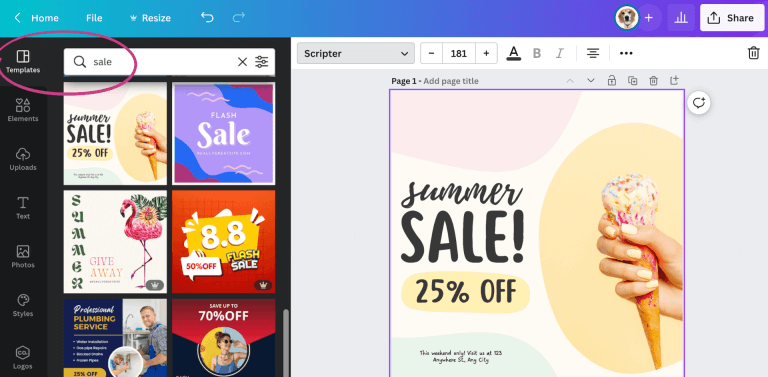
Cricut Design Space is the software that powers your Cricut machine, and understanding how to navigate it is crucial to creating successful projects. CricutForBeginners.com offers tips and tricks for using Design Space, including how to import designs, resize projects, and make custom creations. You’ll also learn how to troubleshoot common problems you might face when using the software.
3. Project Ideas and Inspiration
Need some inspiration for your next Cricut project? CricutForBeginners.com has a wealth of creative ideas to spark your imagination. Whether you’re making custom t-shirts, home décor, or personalized gifts, you’ll find step-by-step instructions on how to make a variety of fun and trendy Cricut crafts.
4. Reviews and Recommendations
Cricut can be a big investment, and it’s helpful to know which products are worth your money. CricutForBeginners.com provides honest reviews of Cricut machines, accessories, and supplies. This way, you can make informed decisions on what tools you need to add to your crafting arsenal. Whether you’re wondering which Cricut model is best for beginners or what vinyl works best for your projects, CricutForBeginners.com has you covered.
How to Get Started with Cricut
If you’re ready to start crafting with Cricut, here’s a basic outline to help you get started:
1. Choose Your Cricut Machine
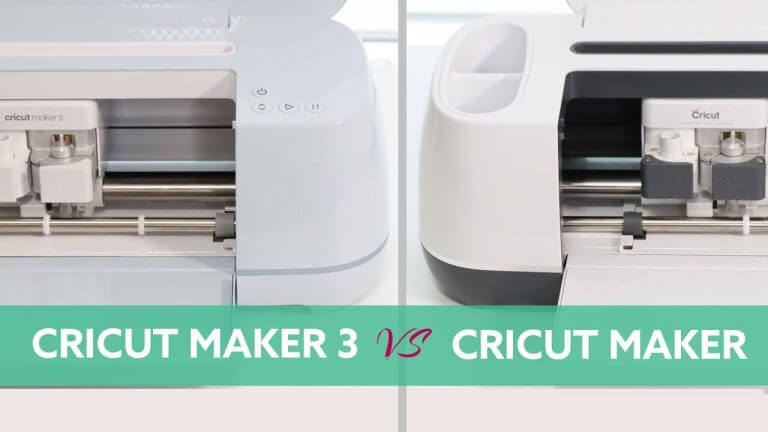
First, you’ll need to decide which Cricut machine is right for you. The most popular models for beginners are the Cricut Explore Air 2 and the Cricut Joy, both of which are user-friendly and versatile. If you’re looking to do more intricate cuts and work with a variety of materials, the Cricut Maker is a great option.
2. Install Cricut Design Space
Cricut Design Space is the software that connects your Cricut machine to your computer or mobile device. You’ll need to download and install the software, which is free to use. The software allows you to create your own designs or import images and projects.
3. Start with a Simple Project
Once your machine is set up and your software is ready, start with a simple project. CricutForBeginners.com offers tons of beginner-friendly ideas, such as creating a custom greeting card or cutting out some basic shapes. This is a great way to get comfortable with the machine and software before tackling more complex projects.
4. Explore Materials and Tools
Cricut can cut through many materials, including paper, vinyl, fabric, and even wood. Start with basic materials like vinyl or cardstock, and then branch out as you gain more experience. Additionally, CricutForBeginners.com provides insights into which tools and accessories are best for different materials, so you can make the most out of your Cricut machine.
Benefits of Using Cricut for Your Craft Projects
Using Cricut brings a range of benefits for crafters, including:
- Precision and Accuracy: Cricut machines cut designs with incredible precision, even with intricate details.
- Time-Saving: Cricut takes care of the cutting for you, so you can spend more time on creative aspects of your project.
- Endless Creativity: With thousands of available designs and materials, Cricut opens up endless creative possibilities.
- Business Potential: Cricut is perfect for entrepreneurs looking to start a custom crafting business. Whether you’re selling t-shirts, home décor, or personalized gifts, Cricut allows you to create professional-quality products at home.
Conclusion
Cricut is a powerful tool for anyone looking to get into crafting, and CricutForBeginners.com is the perfect place to start your journey. With its beginner-friendly tutorials, tips, and inspiration, you’ll quickly learn how to use Cricut and get the most out of your machine. Whether you’re a hobbyist or aspiring entrepreneur, Cricut opens up a world of creative possibilities.
Visit CricutForBeginners.com to explore more helpful guides, project ideas, and tips for Cricut crafting. Ready to start creating? Your next project awaits!