Introduction to Cricut and SVG Bundles
Cricut machines, a staple in the crafting community, empower creators to cut, draw, and score a variety of materials with precision. These versatile devices open up endless possibilities for crafting, particularly when paired with SVG (Scalable Vector Graphics) bundles. SVG files are essential for Cricut projects as they provide the detailed designs necessary for cutting.
Why Use SVG Bundles?
SVG bundles are collections of vector files that are perfect for Cricut projects. Here’s why they’re beneficial:
- Variety: Bundles offer multiple designs, providing options for different projects.
- Scalability: SVGs can be resized without losing quality, ensuring crisp cuts.
- Precision: Detailed designs allow for intricate work, enhancing project quality.
- Cost-effective: Purchasing bundles is often cheaper than individual files.
Simple Cricut Projects to Try
If you’re new to using Cricut machines and SVG bundles, starting with simple projects can help you get accustomed to the process. Here are a few beginner-friendly ideas:
1. Personalized T-Shirts
Creating custom t-shirts is a popular and straightforward project. With an SVG bundle, you can choose from a variety of designs to create unique apparel.
Steps:
- Choose an SVG design that fits the theme of your t-shirt.
- Load the SVG into Cricut Design Space and adjust the size as needed.
- Use iron-on vinyl and follow the cutting instructions.
- Weed out excess vinyl and use a heat press or iron to transfer the design onto the shirt.
2. Home Decor Signs
Decorative signs can add a personal touch to any room. With SVG bundles, you can create farmhouse-style signs, welcome signs, or seasonal decor.
Steps:
- Select a phrase or design from your SVG bundle.
- Prepare a wooden board or canvas as your base.
- Cut out the design using adhesive vinyl.
- Transfer the vinyl onto your board using transfer tape.
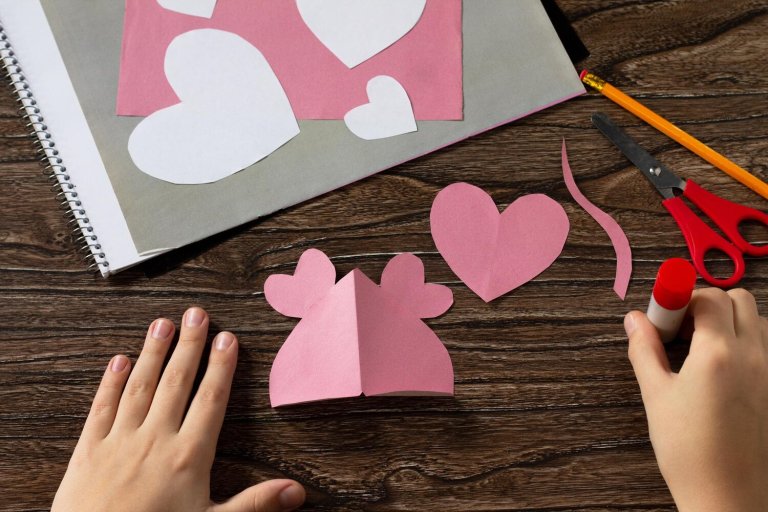
3. Greeting Cards
Handmade cards are a thoughtful way to show you care. SVG bundles often include intricate card designs perfect for any occasion.
Steps:
- Pick a card design from your SVG bundle.
- Load the design into Cricut Design Space and set the appropriate paper size.
- Cut the card elements from cardstock.
- Assemble the pieces and add any embellishments or handwritten notes.
4. Custom Mugs
Creating personalized mugs is another easy project that makes for great gifts or personal use.
Steps:
- Select a fun or meaningful design from your SVG bundle.
- Cut the design from permanent adhesive vinyl.
- Use transfer tape to apply the design to a mug.
- Ensure the vinyl is securely attached, and let it cure for a day before use.
Tips for Working with SVG Bundles
To make the most of your Cricut projects, consider these practical tips:
- Organize Your Files: Keep your SVG files organized on your computer for easy access.
- Test Cut: Always perform a test cut on scrap material to ensure settings are correct.
- Quality Material: Invest in high-quality vinyl and paper for the best results.
- Practice Weeding: Weeding can be tricky; practice on simple designs first.
Conclusion
Cricut machines, when paired with SVG bundles, offer a world of creative possibilities. Whether you’re personalizing clothing, creating home decor, or crafting heartfelt cards, the combination of these tools makes it easy to bring your ideas to life. Start with simple projects to build your confidence, and soon you’ll be crafting like a pro. Enjoy the creative journey!