Comparing Cricut Machines and Projects with SVG Designs
Cricut machines have revolutionized the crafting world by offering precision cutting and a wide range of creative possibilities. Whether you’re new to crafting or a seasoned pro, understanding the differences between Cricut models and how to leverage SVG designs can enhance your projects. This guide will help you compare Cricut machines and explore the types of projects you can create using SVG files.
Overview of Cricut Machines
Cricut offers several cutting machines, each with unique features and capabilities. Here’s a look at the most popular models:
- Cricut Joy: A compact and portable machine ideal for quick, small projects like labels, cards, and decals. It’s perfect for beginners or those with limited space.
- Cricut Explore Air 2: Known for its versatility, this machine can cut over 100 materials, including cardstock, vinyl, and iron-on. It’s suitable for intermediate users who want a reliable all-rounder.
- Cricut Maker: The most advanced model, capable of cutting over 300 materials, including fabric, leather, and balsa wood. It’s equipped with powerful tools like the rotary blade and knife blade, making it ideal for professional crafters and complex projects.
- Cricut Maker 3: An upgraded version of the Cricut Maker, offering faster cutting speeds and compatibility with Smart Materials for matless cutting. It’s perfect for high-volume or large-scale projects.
Understanding SVG Designs
SVG (Scalable Vector Graphics) designs are digital files that define shapes, colors, and text via XML, allowing infinite scaling without loss of quality. These files are ideal for Cricut projects as they enable precise cutting and intricate designs. Here’s why SVG files are popular among crafters:
- Scalability: SVG designs can be scaled to any size without compromising detail, making them perfect for various project sizes.
- Customization: You can easily modify SVG files in design software to tailor them to your specific needs.
- Compatibility: Cricut Design Space, the software used with Cricut machines, supports SVG files, ensuring smooth integration and cutting.
Projects You Can Create with Cricut and SVG Designs
With Cricut machines and SVG designs, the possibilities are virtually endless. Here are some popular projects you can embark on:
1. Personalized Apparel
Use iron-on vinyl and SVG designs to create custom t-shirts, hoodies, and tote bags. The Cricut Maker and Explore Air 2 are particularly good for these projects, allowing you to cut intricate designs that can be easily transferred onto fabric.
2. Home Décor
Create beautiful wall art, stencils, and signs using wood, paper, or vinyl. The Cricut Maker’s ability to cut thicker materials like wood and leather makes it ideal for durable home décor items.
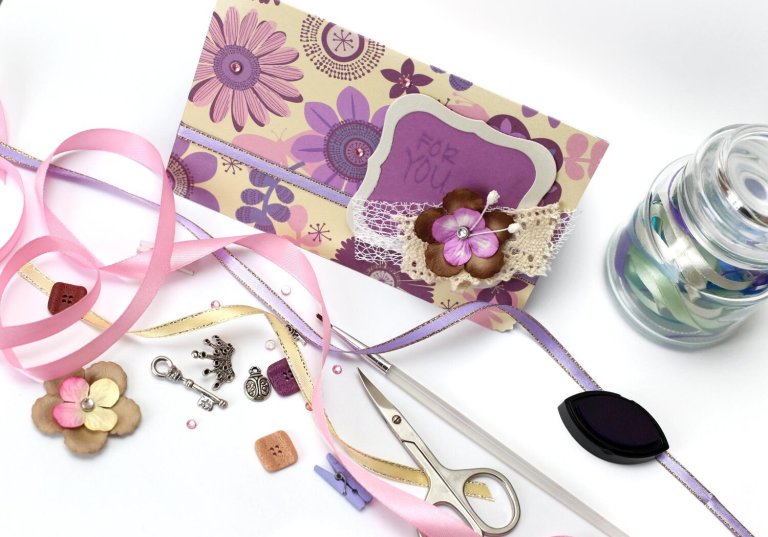
3. Greeting Cards
The Cricut Joy is perfect for crafting personalized greeting cards quickly. With SVG designs, you can cut intricate patterns and shapes, adding a unique touch to your cards.
4. Scrapbooking
Enhance your scrapbooking projects with detailed cutouts and embellishments. Use the Cricut Explore Air 2 to cut paper, cardstock, and specialty materials, creating layers and textures for your pages.
5. Custom Stickers and Labels
Design and cut personalized stickers and labels for organizing or gifting. The Cricut Joy’s portability makes it easy to create these items on the go.
6. 3D Projects
Craft 3D models, boxes, and decorations using various materials. The Cricut Maker’s capability to cut thick materials allows for sturdy and intricate 3D projects.
Tips for Using SVG Designs with Cricut
To make the most of your Cricut and SVG designs, consider these tips:
- Choose Quality SVG Files: Ensure your SVG files are well-designed and compatible with Cricut Design Space. Look for files from reputable sources or design your own using vector graphic software.
- Optimize for Cutting: Simplify complex designs and ensure paths are closed to achieve clean cuts. This is particularly important for intricate projects.
- Test Cut: Before starting on your final material, do a test cut on a similar, inexpensive material to ensure settings are correct.
- Utilize Design Space: Familiarize yourself with Cricut Design Space features to customize and adapt SVG designs to fit your project needs.
Conclusion
Cricut machines, in conjunction with SVG designs, provide a powerful platform for crafting a wide array of projects. From personalized apparel to intricate home décor, the combination of precise cutting and customizable designs offers endless creative opportunities. Whether you choose the portable Cricut Joy or the versatile Cricut Maker, understanding how to effectively use SVG files can significantly enhance your crafting experience.