Quick Cricut Joy Projects Powered by SVG Bundles
The Cricut Joy is a versatile, compact cutting machine ideal for crafting enthusiasts who love quick and easy projects. Using SVG (Scalable Vector Graphics) bundles can significantly enhance your crafting experience, allowing you to create beautiful designs with minimal effort. This guide will explore practical Cricut Joy projects that can be completed swiftly using SVG bundles.
What Are SVG Bundles?
SVG bundles are collections of vector files that can be used with cutting machines like the Cricut Joy. These files are scalable, meaning they can be resized without losing quality, making them perfect for a wide range of projects. SVG bundles often come in themed collections, providing a variety of designs to suit your crafting needs.
Benefits of Using SVG Bundles
- Time-Saving: Pre-designed SVG files allow you to skip the design phase and jump straight into crafting.
- Versatility: SVG files can be resized and customized to fit any project size or style.
- Professional Quality: High-quality designs ensure a polished and professional finish for your projects.
Essential Tools and Materials
Before diving into your projects, ensure you have the following tools and materials:
- Cricut Joy Machine: The compact and user-friendly cutting machine.
- Smart Materials: Cricut Joy-compatible vinyl, cardstock, or iron-on materials.
- Weeding Tools: Essential for removing excess material from your designs.
- Transfer Tape: Helps in transferring vinyl designs to your project surfaces.
- SVG Bundle Files: Downloaded and ready to upload to Cricut Design Space.
How to Use SVG Bundles with Cricut Joy
- Download SVG Files: Choose a bundle that suits your project, and download the files to your computer.
- Upload to Cricut Design Space: Open Cricut Design Space and upload your chosen SVG files.
- Customize Your Design: Resize and adjust the design as needed to fit your project dimensions.
- Prepare Your Materials: Load the appropriate Smart Material into the Cricut Joy.
- Cut and Assemble: Let the Cricut Joy cut your design, then weed and assemble your project.
Quick Cricut Joy Project Ideas
1. Personalized Gift Tags
Create customized gift tags using festive SVG bundles. Choose holiday or birthday designs, cut them on cardstock, and add personal messages for a special touch.
2. Custom T-Shirts
Use iron-on vinyl and SVG designs to create unique t-shirts. Perfect for family reunions, events, or personal fashion statements. Simply cut the design, weed it, and iron it onto the fabric.
3. Home Décor Signs
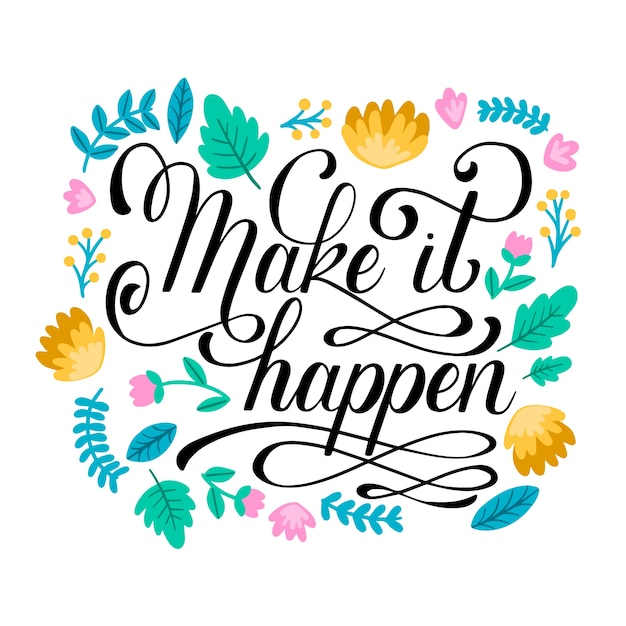
Design stylish home décor signs using vinyl and wooden plaques. Choose inspirational quotes or seasonal designs from your SVG bundle for a quick home update.
4. Greeting Cards
Create intricate greeting cards with layered SVG designs. Use cardstock in various colors and textures to add depth and interest to your cards.
5. Personalized Mugs
Decorate mugs with vinyl decals from your SVG bundle. Ideal for gifts or personal use, these mugs can feature names, quotes, or simple graphics.
Tips for Successful Cricut Joy Projects
- Test Cut: Always perform a test cut on scrap material to ensure settings are correct.
- Weeding: Use a bright light or lightbox to make weeding easier.
- Alignment: Use grid lines in Cricut Design Space for precise alignment of your designs.
- Material Choice: Select materials that complement your design and intended use.
Where to Find SVG Bundles
There are numerous online resources to find SVG bundles for your Cricut Joy projects:
- Etsy: A popular marketplace for unique and themed SVG bundles.
- Design Bundles: Offers a wide range of high-quality SVG files for various occasions.
- Creative Fabrica: Provides a vast library of SVG designs and crafting resources.
Conclusion
Using SVG bundles with your Cricut Joy opens up a world of creative possibilities. Whether you’re crafting for personal enjoyment, gifts, or small business, these quick projects can help you achieve professional results with ease. With the right tools, materials, and a bit of creativity, your Cricut Joy can become an essential part of your crafting toolkit.