Beginner’s Guide to Cricut Machines
Cricut machines have revolutionized the world of crafting, offering endless possibilities for creative projects. Whether you’re a seasoned crafter or a beginner, understanding how to use these machines can open up a new realm of artistic expression. This guide will introduce you to the basics of Cricut machines and explain why SVG bundles are a valuable resource for any crafter.
What is a Cricut Machine?
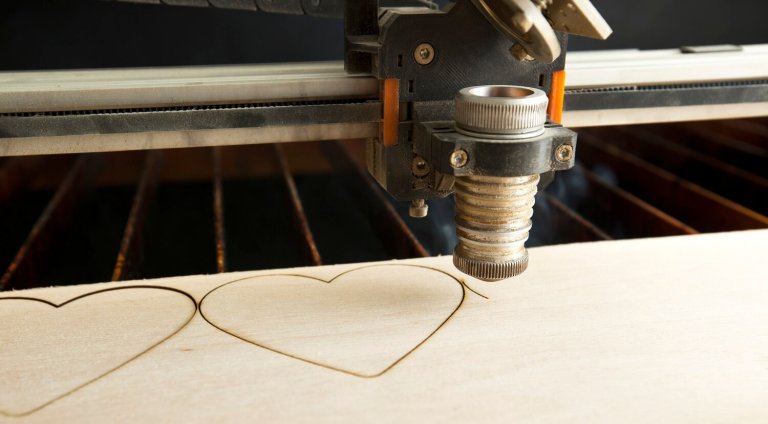
A Cricut machine is a cutting device that can precisely cut a variety of materials, including paper, vinyl, fabric, and more. These machines are controlled by design software that allows you to create intricate designs easily. Whether you’re making custom t-shirts, personalized cards, or home decor, a Cricut machine can help you achieve professional-looking results.
Types of Cricut Machines
- Cricut Explore Air 2: Known for its versatility, it can cut over 100 different materials and is ideal for beginners.
- Cricut Maker: A more advanced model, it can cut thicker materials like leather and wood, offering greater creative freedom.
- Cricut Joy: A compact and portable option, perfect for quick and simple projects.
Getting Started with Your Cricut Machine
To get started with your Cricut machine, follow these basic steps:
- Set Up: Unbox your Cricut, connect it to your computer or mobile device, and install the Cricut Design Space software.
- Choose a Material: Decide on the material you want to work with and prepare it for cutting.
- Select a Design: Use the Cricut Design Space to choose a design or create your own.
- Load Material: Place your material on a cutting mat, load it into the machine, and start cutting.
- Assemble: Once your design is cut, assemble or apply it as needed for your project.
Why SVG Bundles Make Crafting Easier
SVG (Scalable Vector Graphics) bundles are collections of design files that are particularly beneficial for Cricut users. Here’s why they can simplify your crafting process:
Benefits of Using SVG Bundles
- Variety: SVG bundles offer a wide range of designs, providing inspiration and options for various projects.
- Scalability: SVG files can be resized without losing quality, making them perfect for projects of any size.
- Compatibility: SVG files are compatible with Cricut Design Space, ensuring seamless integration with your machine.
- Customization: Easily modify SVG files to suit your specific needs, adding a personal touch to your creations.
Where to Find SVG Bundles
There are numerous resources online where you can find SVG bundles, both free and paid. Some popular sites include:
- Etsy – Offers a vast selection of unique SVG designs from independent creators.
- Creative Fabrica – Provides subscription-based access to a large library of SVG files.
- Design Bundles – Offers both free and premium SVG bundles with regular discounts.
- SVG Cuts – Specializes in high-quality SVG files for various crafting projects.
Tips for Using SVG Bundles
To make the most out of SVG bundles, consider the following tips:
- Organize Your Files: Keep your SVG files organized in clearly labeled folders for easy access.
- Test Cut: Before committing to a large project, do a test cut on a less expensive material to ensure the design meets your expectations.
- Experiment: Don’t hesitate to experiment with different materials and techniques to see how they affect the final outcome.
- Stay Updated: Regularly check your favorite SVG bundle sources for new designs and sales.
Conclusion
Learning to use a Cricut machine and incorporating SVG bundles into your projects can significantly enhance your crafting experience. With the right resources and a bit of creativity, you can create stunning, personalized crafts that reflect your unique style. Start exploring the possibilities today and watch your crafting skills soar!