Tips for Creating Your Own SVG Bundle for Cricut
Are you a Cricut enthusiast dreaming of designing and selling your own SVG bundles? Whether you want to create personalized projects or build a small business, mastering SVG bundle creation opens up a world of creative possibilities. In this article, you’ll discover practical tips for creating your own SVG bundle for Cricut—from design inspiration and technical know-how to organization and marketing strategies.
Why Create Your Own SVG Bundle?
SVG bundles are collections of scalable vector graphics that Cricut users can cut, print, or use in various craft projects. By making your own SVG bundle, you gain full control over your designs, can tailor them to a specific audience, and even generate income by selling them on platforms like Etsy. Plus, it’s a fun way to express your creativity and stand out in the crafting community.
Understanding SVG Files and Cricut Compatibility
SVG stands for Scalable Vector Graphics. Unlike raster images (such as PNG or JPG), SVGs are resolution-independent and can be resized without losing quality. This makes them ideal for Cricut and other cutting machines. However, not all SVGs are created equal—some may be too complex, have unnecessary nodes, or lack proper grouping, leading to cutting errors or wasted materials.
Key SVG Features for Cricut
- Clean, closed paths for precise cuts
- Minimal anchor points to ensure smooth curves
- Layered designs for multi-color projects
- Grouped elements for easy editing
Essential Tips for Creating Your Own SVG Bundle for Cricut
1. Research Popular Themes and Trends
Before designing your bundle, research what is trending in the Cricut and crafting community. Seasonal themes, holidays, inspirational quotes, and cute graphics are always in demand. Use Pinterest, Etsy, and crafting Facebook groups to see what designs are selling well or generating buzz.
2. Choose the Right Design Software
To create high-quality SVGs, use vector graphic software. Popular options include:
- Adobe Illustrator: Industry standard, but paid.
- Inkscape: Free and open-source, suitable for beginners and advanced users.
- Affinity Designer: Affordable one-time purchase, robust vector tools.
Ensure your software can export true SVGs compatible with Cricut Design Space.
3. Keep Designs Simple and Clean
While intricate details look impressive, overly complex SVGs can cause issues during cutting. Simplify your shapes, avoid excessive anchor points, and check that all paths are closed. Test your designs by importing them into Cricut Design Space to see how they render and cut.
4. Organize Your SVG Bundle for Easy Use
A well-organized bundle makes a big difference for your customers. Group your SVGs by theme or use case, and provide clear, descriptive file names. Include a preview image for each design and instructions if necessary. Consider offering multiple formats (SVG, PNG, DXF) to reach a wider audience.
5. Test Your SVGs Before Publishing
Always test your SVGs in Cricut Design Space and, if possible, on your cutting machine. Watch for unexpected cuts, missing elements, or scaling issues. Ask friends or beta testers to try your files on different machines to ensure compatibility.
6. Include Licensing and Usage Information
Make it clear how your SVGs can be used. Specify whether your designs are for personal, commercial, or limited commercial use. Include a simple readme file in your bundle outlining the terms, and consider watermarking preview images to protect your work.
7. Create Eye-Catching Previews and Mockups
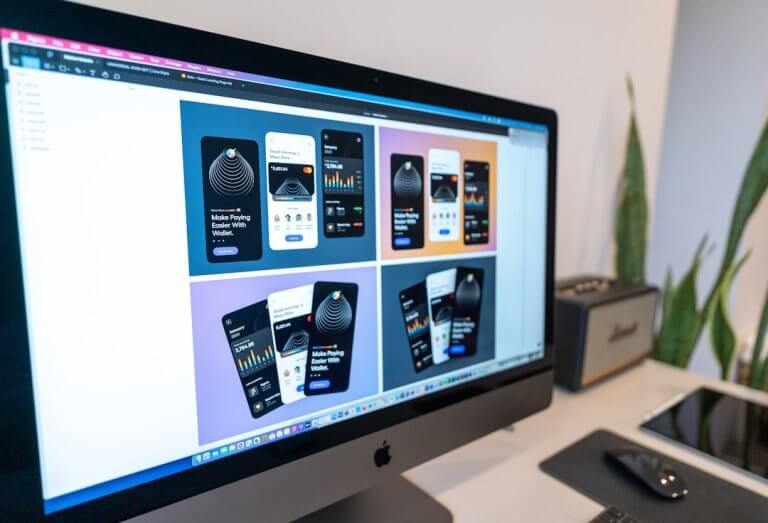
Presentation matters, especially if you plan to sell your SVG bundle. Use mockup photos to show your designs on t-shirts, mugs, tote bags, or digital backgrounds. Tools like Canva or Placeit can help you create professional-looking previews that attract buyers.
8. Promote and Sell Your Bundle
Once your SVG bundle is ready, market it on platforms like Etsy, Creative Market, or your own website. Use SEO-friendly titles and descriptions, and leverage social media to showcase your designs. Collaborate with influencers or run giveaways to build buzz.
Common Mistakes to Avoid
- Overcomplicating designs with too many layers or tiny details
- Forgetting to test SVGs in Cricut Design Space
- Using copyrighted images without permission
- Not providing clear licensing information
- Neglecting to organize files within the bundle
Short Conclusion
Creating your own SVG bundle for Cricut is a rewarding endeavor that blends creativity with technical skill. By following these tips for creating your own SVG bundle for Cricut, you’ll produce high-quality files that are easy to use and share. Whether you’re crafting for fun or starting a business, thoughtful design and organization will help your SVGs shine in the vibrant Cricut community.
Resources
- SVG Files for Cricut: A Complete Guide (Design Bundles)
- How to Use SVG Files with Cricut Design Space
- Inkscape (Free Vector Design Software)
- Adobe Illustrator
- SVG Generator (Creative Fabrica Spark)
FAQs
How do I make sure my SVGs are compatible with Cricut?
Use vector design software that exports true SVG files and test your designs in Cricut Design Space. Keep paths clean, closed, and free of unnecessary nodes.
What software is best for creating SVG files for Cricut?
Adobe Illustrator and Inkscape are popular choices. Illustrator is professional and paid, while Inkscape is free and beginner-friendly.
Can I sell SVG bundles with copyrighted images?
No, you must use your own original artwork or properly licensed graphics. Selling copyrighted images without permission can lead to legal issues.
How should I organize my SVG bundle files?
Group files by theme or use case, give each SVG a descriptive name, and include preview images and a readme with usage information.
What’s the best way to present my SVG bundle online?
Use high-quality mockups and clear previews to showcase your designs. Write detailed descriptions and highlight features or uses to attract buyers.