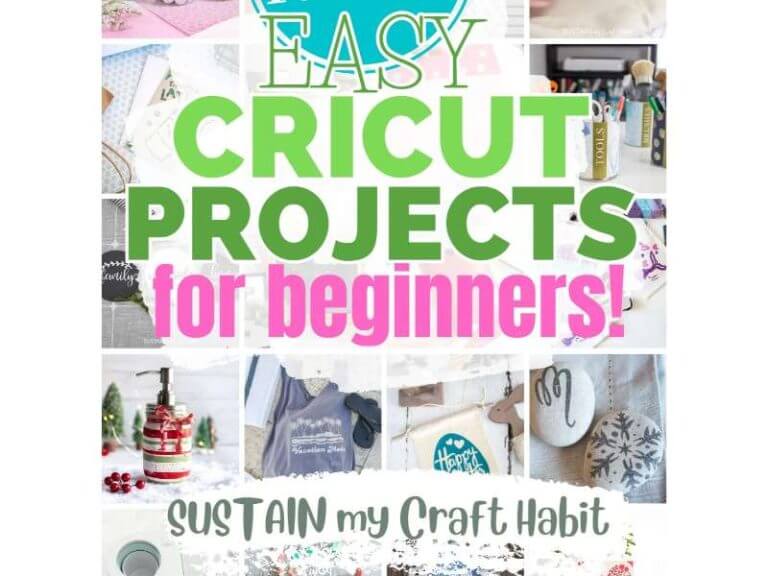
DIY Home Decor with Cricut SVG Bundles
Imagine transforming your living space with personalized touches, all crafted by you. With DIY home decor using Cricut SVG bundles, this dream is within reach—even for beginner crafters. SVG bundles open a world of creative possibilities, letting you design everything from customized wall art to statement pillows and seasonal accents. If you’re ready to elevate your home decor with the power of Cricut, read on for tutorials, trending ideas, troubleshooting tips, and the best resources to get started.
Why Choose Cricut SVG Bundles for Home Decor?
SVG (Scalable Vector Graphics) bundles are digital files that contain a variety of designs, motifs, or phrases. They are compatible with Cricut machines, making it easy to cut intricate shapes from vinyl, paper, fabric, and more. Choosing SVG bundles gives you access to curated collections—ideal for matching themes or creating cohesive decor sets.
With SVG bundles, you get:
- Variety: Multiple designs in one package for diverse projects.
- Cost-effectiveness: Bundles are usually cheaper than buying designs individually.
- Consistency: Coordinated designs make your decor look polished and professional.
Top DIY Home Decor Projects Using Cricut SVG Bundles
1. Personalized Wall Art
SVG bundles make it easy to create unique wall art. Choose quotes, mandalas, or botanical motifs. Cut vinyl or cardstock and frame your finished piece for instant style.
- Tip: Use removable vinyl for rental-friendly decor.
2. Custom Throw Pillows
Add personality to your living room or bedroom by applying SVG designs to pillow covers using iron-on (HTV) vinyl. Monograms, seasonal graphics, or geometric patterns are popular choices.
3. Decorative Storage Solutions
Upgrade plain storage bins, baskets, or jars with labels and designs from SVG bundles. Organizing becomes both practical and stylish.
4. Seasonal or Holiday Decor
SVG bundles often include themed designs for holidays and seasons—think Halloween pumpkins, Christmas trees, or spring florals. Quickly refresh your decor throughout the year.
5. Door Signs and Welcome Mats
Make a great first impression with custom door signs or mats. Use outdoor vinyl for signs, and consider stenciling your SVG design onto a coir mat for a personal touch.
Tips for Working with Cricut SVG Bundles
- Check File Compatibility: Ensure your SVG files are compatible with Cricut Design Space. Most commercial SVG sellers specify this.
- Organize Your Bundles: Keep files sorted by theme or project for easy access.
- Preview Before Cutting: Always use the “Preview” feature in Design Space to check sizing and layout.
- Adjust for Material: Change settings based on whether you’re cutting paper, vinyl, or fabric.
- Test Cut: Especially for new materials, do a small test cut to avoid wasting supplies.
Common Problems & Solutions
SVG File Won’t Upload
If your SVG won’t upload to Design Space, check that the file is unzipped, not corrupted, and doesn’t exceed Cricut’s size limits. Sometimes, complex SVGs may need to be simplified in a vector editor.
Design Cuts Incorrectly
Ensure you’ve attached or welded elements in Design Space so your Cricut cuts them as a single unit. Overlapping elements can cause misalignment.
Weeding Is Difficult
Use a weeding tool and good lighting. If the design is very intricate, consider increasing the size slightly or choosing a less detailed SVG.
Vinyl Doesn’t Stick
Clean your surface thoroughly and use transfer tape. For textured surfaces, opt for strong-grip tape or use heat to help adhesion.
Trends in Cricut SVG Home Decor
- Minimalist Designs: Clean lines and neutral colors are in.
- Boho & Botanical: Leaves, florals, and earthy motifs are everywhere.
- Typography Art: Handwritten and retro fonts for quotes and signs.
- Layered SVGs: Multi-layer designs add depth and dimension to wall art and shadow boxes.
- Interactive Decor: Chalkboard labels, changeable countdown signs, and more.
Where to Find High-Quality SVG Bundles
There are many reputable sources for Cricut SVG bundles. Look for commercial use licenses if you plan to sell your creations. Here are some favorite resources:
Resources
- Design Bundles — A massive selection of curated SVG bundles for every theme and occasion.
- Creative Fabrica — Regular free SVGs and affordable monthly subscriptions for unlimited crafting.
- Etsy — Unique SVG bundles from independent designers, often including commercial licenses.
- Cricut Help: Uploading SVGs — Official guide to importing SVG files into Cricut Design Space.
- Pinterest: Cricut SVG Home Decor Ideas — Get inspired by trending DIY decor projects.
Conclusion
DIY home decor with Cricut SVG bundles is a game-changer for creative homeowners and crafters. With a little imagination and the right resources, you can easily personalize your space, stay on trend, and even tackle common crafting frustrations. Dive into the world of SVG bundles and let your Cricut transform your home—one project at a time!
FAQs
What are SVG bundles for Cricut?
SVG bundles are collections of scalable vector graphic files, designed for use with Cricut machines. They allow you to cut out multiple coordinated designs for various projects.
Can I use SVG bundles for commercial projects?
Many SVG bundles include a commercial use license, but always check the seller’s terms before selling items made with their designs.
How do I upload an SVG bundle to Cricut Design Space?
Unzip the downloaded bundle, choose the desired SVG file, and upload it in Design Space using the “Upload” feature. Follow the prompts to prepare it for cutting.
What materials can I use with Cricut SVG bundles?
You can cut a wide range of materials, including vinyl, cardstock, fabric, felt, and more, depending on your Cricut model and the project.
How do I avoid common mistakes when using SVG bundles?
Preview your design in Design Space, attach or weld elements as needed, use test cuts, and always check material settings before starting your project.