Baby Onesie Saying SVG for Cricut: The Complete Crafter’s Guide
Imagine gifting a newborn with a onesie that isn’t just adorable, but also uniquely personal. With a Baby Onesie Saying SVG for Cricut, you can bring heartwarming or humorous messages to life on baby clothes in just a few easy steps. Whether you’re making a special gift, stocking your shop, or crafting for your own little one, SVG files open up a world of creative possibilities. Let’s dive into what these files are, how to use them, and how to get started making your own standout baby onesies!
What Is a Baby Onesie Saying SVG for Cricut?
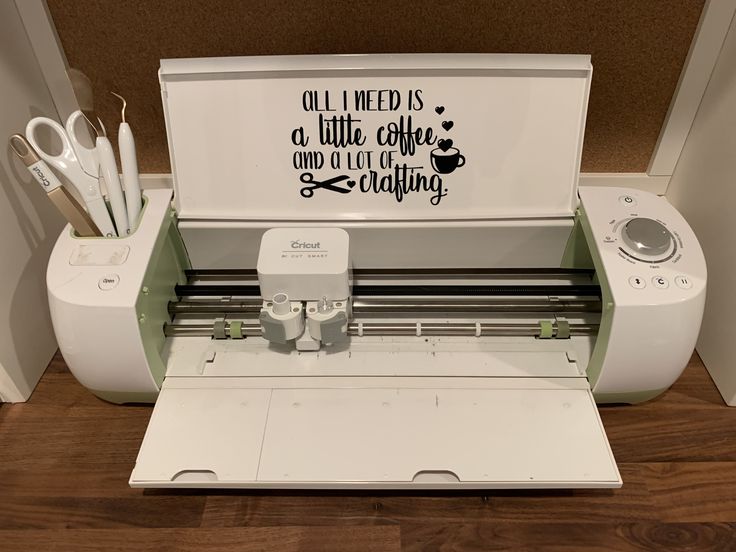
An SVG (Scalable Vector Graphic) file is a digital design format that can be resized without losing quality. In the crafting world, SVG files are essential because cutting machines like Cricut and Silhouette can read them, enabling you to cut intricate shapes and text with precision.
When we talk about a Baby Onesie Saying SVG for Cricut, we mean a digital file with a cute, funny, or touching phrase specifically designed to fit on a baby onesie. These sayings might include:
- “Brand New & Already Loved”
- “Little Miracle”
- “Mommy’s Mini”
- “Sleepless but Cute”
- “Born to Sparkle”
SVGs usually feature playful fonts, adorable icons, or decorative elements to make your onesie designs pop.
Common Uses for Baby Onesie Saying SVGs
The possibilities for baby onesie sayings are nearly endless. Here’s how crafters typically use these SVG files:
- Personalized Baby Gifts: Create unique, heartfelt presents for baby showers and newborn arrivals.
- Small Business Products: Sell custom onesies on Etsy, at craft fairs, or in your own online shop.
- Family Announcements: Announce pregnancies or new arrivals with witty sayings.
- Milestone Outfits: Mark “First Christmas,” “First Birthday,” or other memorable moments.
- Photo Props: Make onesies with sayings for adorable photo shoots.
Best Materials for Baby Onesie Saying SVGs
To achieve high-quality results, it’s important to use the right materials when applying SVG designs to onesies. Here are the top choices for crafters using Cricut or Silhouette:
- Heat Transfer Vinyl (HTV): The most popular option, HTV comes in a variety of colors, finishes, and textures. It’s durable, easy to weed, and safe for infant clothing when you choose non-toxic brands.
- Infusible Ink: Cricut’s Infusible Ink sheets provide a smooth, vibrant, and permanent design by fusing ink directly into the fabric. Works best with compatible polyester-blend onesies.
- Fabric Paint: For a hand-painted look, use your SVG as a stencil to apply fabric paint. This method is less common but adds a unique touch.
- Printable Iron-On: Print your SVG design on special printable iron-on material for multicolor or photo-based sayings.
Always select baby-safe, soft onesies made from 100% cotton or cotton blends for comfort and breathability.
How to Use a Baby Onesie Saying SVG with Cricut
Getting started with SVGs for your Cricut is easier than you might think! Follow these simple steps to make your first custom baby onesie:
- Download an SVG File: Find a baby onesie saying SVG you love from a reputable source.
- Upload to Cricut Design Space: Open Cricut Design Space, click “Upload,” and select your SVG file.
- Resize and Arrange: Adjust the design size to fit your onesie (typically 4-5 inches wide for newborn sizes).
- Cut the Design: Load your HTV, shiny side down, and mirror the design before cutting!
- Weed the Vinyl: Carefully remove excess vinyl, leaving only your design.
- Heat Press: Position the design on your onesie and use a heat press or iron to apply it, following the HTV manufacturer’s instructions.
- Peel and Reveal: Let it cool (if using cool peel vinyl), then gently remove the carrier sheet.
And just like that, you’ve created a professional-looking, custom baby onesie!
Tips for Beginners Crafting Baby Onesie Saying SVGs
- Start Simple: Choose beginner-friendly SVGs with bold fonts and minimal tiny details for your first projects.
- Use Quality Vinyl: Cheaper vinyl can be hard to weed and may not last through washes. Invest in reputable brands for best results.
- Test on Scrap: Practice with a scrap piece of fabric or a spare onesie before applying your final design.
- Don’t Forget to Mirror: Always mirror your SVG design before cutting HTV; otherwise, your saying will appear backward!
- Follow Care Instructions: Advise recipients to wash onesies inside out and avoid high heat drying to extend design life.
- Get Creative: Mix and match fonts, add little graphics, or customize sayings to make your gifts extra special.
Where to Find Baby Onesie Saying SVGs
There are many sources for high-quality, ready-to-use SVG files. For an incredible variety and inspiration, check out SVG Kingdom’s huge collection of SVGs—perfect for baby onesie sayings and so much more!
Conclusion
With the right Baby Onesie Saying SVG for Cricut, your crafting possibilities are endless. From cherished gifts to creative business products, SVGs make it simple to personalize baby clothing with style and sentiment. Remember, start simple, use quality materials, and let your creativity shine.
Ready to find the perfect SVG for your next project? Explore SVG Kingdom’s massive library and start crafting baby onesies that everyone will adore!
Resources
- SVG Kingdom – 200,000+ SVG Designs
- Cricut Help: How to Upload SVG Files
- Silhouette 101: Using SVG Files in Silhouette Studio
- Cricut Blog: Iron-On Vinyl Beginner’s Guide
- Babylist: Best Baby Onesies
FAQs
What is a Baby Onesie Saying SVG for Cricut?
It’s a digital design file (SVG format) featuring a phrase or saying, specifically sized and styled for cutting and applying to baby onesies using a Cricut or similar cutting machine.
What type of vinyl should I use for baby onesie SVG designs?
Heat Transfer Vinyl (HTV) is best for baby clothing. Choose soft, flexible HTV from reputable brands and ensure it’s safe for infants.
Can I use these SVGs with Silhouette machines?
Yes! Most SVG files are compatible with Silhouette Studio Designer Edition or higher, as well as Cricut Design Space.
How do I prevent my design from peeling after washing?
Always follow the vinyl manufacturer’s application instructions, use enough pressure and heat, and recommend washing the onesie inside out on gentle cycle.
Where can I find more baby onesie saying SVGs?
You can browse thousands of SVGs at SVG Kingdom and other SVG marketplaces online.