Halloween Pumpkin Face SVG Bundle: The Ultimate Guide for Cricut & Silhouette Crafters
Ready to take your Halloween crafting to a whole new level? Imagine transforming plain pumpkins, t-shirts, mugs, and party decor into spooky masterpieces with just a few clicks. The Halloween Pumpkin Face SVG Bundle makes it possible, unlocking endless creative possibilities for Cricut and Silhouette users. Whether you’re a seasoned crafter or a curious beginner, this guide will walk you through everything you need to know to get started and make the most of your SVG files.
What is an SVG File?
SVG stands for Scalable Vector Graphics. Unlike pixel-based images (like JPGs or PNGs), SVGs are made from mathematical paths, which means they can be scaled to any size without losing quality. This makes them ideal for cutting machines like Cricut and Silhouette, which rely on precise outlines to create clean, professional-looking cuts.
SVG files are the universal language of cutting machines. They provide the instructions your Cricut or Silhouette needs to cut out intricate designs, like those found in a Halloween Pumpkin Face SVG Bundle. With SVGs, you can create everything from simple jack-o’-lantern grins to elaborate, layered pumpkin faces.
Common Uses for a Halloween Pumpkin Face SVG Bundle
The beauty of the Halloween Pumpkin Face SVG Bundle is its versatility. Here are some popular ways crafters use these designs:
- Pumpkin Carving Stencils: Print and trace the SVG design onto a pumpkin for a precise, professional look.
- Vinyl Decals: Cut faces from adhesive or heat transfer vinyl to decorate pumpkins, signs, windows, water bottles, and more.
- Iron-On Transfers: Use heat transfer vinyl (HTV) for custom t-shirts, tote bags, aprons, or pillowcases.
- Party Decor: Make banners, cupcake toppers, invitations, and wall art with spooky or whimsical pumpkin faces.
- Paper Crafts: Use cardstock or paper to create layered shadow boxes, greeting cards, or scrapbooking embellishments.
- Digital Design: Add pumpkin faces to digital invitations, social media posts, or printables.
Best Materials for Halloween Pumpkin Face SVGs
The material you choose will depend on your project and your cutting machine. Here are the most popular options for Halloween Pumpkin Face SVGs:
- Adhesive Vinyl: Great for decorating smooth surfaces like glass, plastic, or painted wood. Use permanent vinyl for outdoor or long-lasting projects, and removable for temporary decor.
- Heat Transfer Vinyl (HTV): Perfect for fabric projects such as t-shirts, tote bags, or pillow covers. HTV is applied using an iron or heat press.
- Cardstock and Paper: Ideal for banners, cards, and layered paper crafts. Choose heavier weights for sturdy projects.
- Stencil Material: Use reusable plastic stencil sheets to make pumpkin carving or painting stencils.
- Felt or Fabric: Create soft crafts, appliqués, or plush decorations by cutting SVGs from felt or fabric (using a fabric blade).
Tips for Beginners: Getting the Most from Your SVG Bundle
Starting with SVGs can feel overwhelming, but with a few helpful tips, you’ll be crafting like a pro in no time!
1. Choose the Right Bundle
Look for a Halloween Pumpkin Face SVG Bundle that includes a variety of styles—classic, cute, scary, and funny. This will give you more creative options for different projects.
2. Organize Your Files
Keep your SVG files organized in folders by theme or project. This makes it easier to find the perfect face when inspiration strikes.
3. Test with Scrap Material
Before cutting your final design, do a test run with inexpensive or scrap material. This helps you check the sizing and cutting quality without wasting precious supplies.
4. Use Transfer Tape Carefully
When working with adhesive vinyl, use transfer tape to move your cut design onto your project surface without distortion. Go slowly to avoid tearing or stretching the vinyl.
5. Experiment with Layering
Many pumpkin face SVGs can be layered for a 3D effect. Try using different colors or materials for each layer to add dimension and interest.
6. Clean Your Cutting Mat and Blade
Keep your cutting mat free of debris and your blade sharp. This ensures clean cuts, especially for delicate details in pumpkin face designs.
How to Use Pumpkin Face SVGs with Cricut and Silhouette
Both Cricut Design Space and Silhouette Studio make it easy to work with SVG files. Here’s a quick guide:
- Download your SVG bundle and unzip the files if needed.
- Open your software (Cricut Design Space or Silhouette Studio).
- Upload the SVG file for your chosen pumpkin face.
- Resize and position the design as needed for your project.
- Select your material settings (vinyl, HTV, cardstock, etc.) and ensure your blade depth matches.
- Send the design to your machine and watch your pumpkin face come to life!
Creative Project Ideas for Your Halloween Pumpkin Face SVG Bundle
Need some inspiration? Here are a few crafty ways to use your bundle this Halloween:
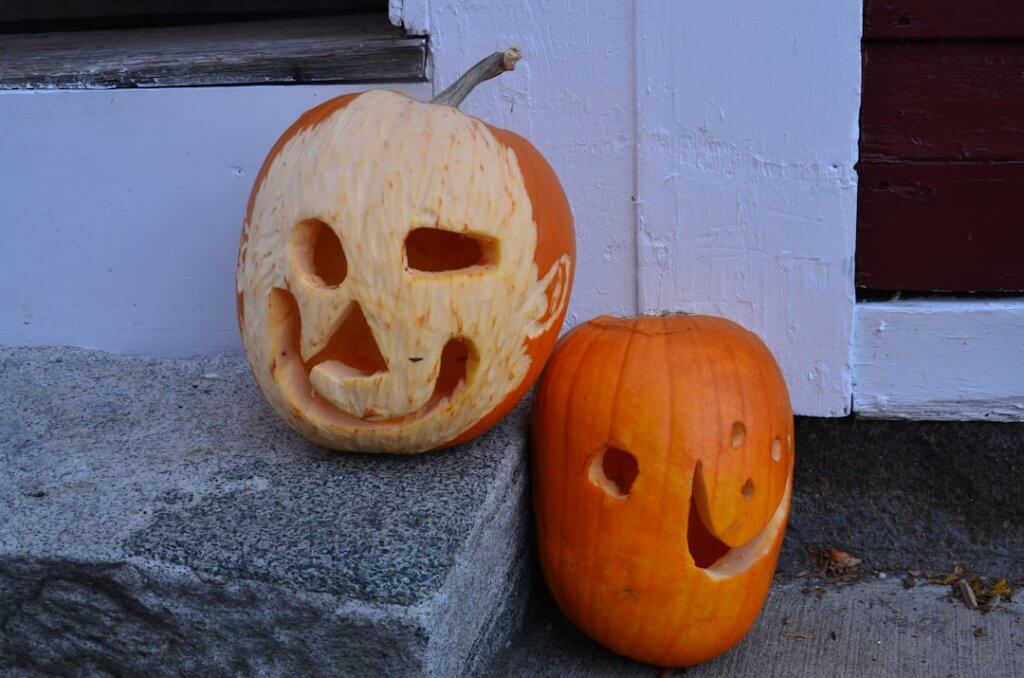
- Classic Jack-o’-Lanterns: Cut vinyl faces to stick on real or faux pumpkins for a mess-free alternative to carving.
- Glow-in-the-Dark Decor: Use glow-in-the-dark vinyl for window clings or wall decals that light up at night.
- Family Costume Sets: Create matching t-shirts or tote bags with different pumpkin faces for each family member.
- Classroom or Party Favors: Make mini pumpkin face stickers, bookmarks, or magnets for kids and guests.
- Table Centerpieces: Layer paper SVG faces onto jars, candle holders, or lanterns for a spooky tablescape.
Why Choose a Halloween Pumpkin Face SVG Bundle?
A quality bundle offers more than just a single design—it’s a toolkit for creativity. With dozens (or even hundreds) of pumpkin faces in one set, you can:
- Mix and match faces for unique combinations.
- Create coordinated decor for parties, classrooms, or home displays.
- Save time and money compared to buying individual files.
- Ensure all your designs are optimized for cutting machines, reducing trial and error.
Where to Find the Best Halloween Pumpkin Face SVG Bundles
Not all SVGs are created equal. Look for bundles designed by professional artists, formatted for easy cutting, and tested with both Cricut and Silhouette machines. For the largest selection and highest quality, check out SVG Kingdom’s 200,000+ Design Bundle. You’ll discover pumpkin faces for every mood and theme, plus thousands of other holiday and everyday designs to keep your creativity flowing year-round.
Conclusion
The Halloween Pumpkin Face SVG Bundle is every crafter’s secret weapon for a memorable, creative, and fun-filled Halloween. With the right SVGs, materials, and a little inspiration, you can turn any project into a spooky showstopper. Don’t wait—explore the endless possibilities, and let your imagination run wild this season!
Ready to start crafting? Visit SVG Kingdom’s 200,000+ SVG Bundle to find the perfect Halloween Pumpkin Face SVG Bundle and more!
Resources
- Cricut Official Website
- Silhouette America
- What is an SVG File? (Happy Crafters)
- Cricut Projects at JOANN
- SVG Kingdom: 200,000+ Design Bundle
FAQs
What is included in a Halloween Pumpkin Face SVG Bundle?
These bundles typically include a wide variety of pumpkin face designs, from classic jack-o’-lanterns to cute and spooky faces, all in SVG format for easy cutting with Cricut or Silhouette machines.
Can I use these SVGs on real pumpkins?
Absolutely! You can use the SVGs as stencils for carving or cut adhesive vinyl to stick directly onto real or faux pumpkins for a mess-free option.
What software do I need to use these SVG files?
You’ll need cutting software compatible with SVG files, such as Cricut Design Space or Silhouette Studio (Designer Edition or higher for SVG support).
What materials work best with Halloween Pumpkin Face SVGs?
Popular materials include adhesive vinyl, heat transfer vinyl, cardstock, stencil sheets, and even felt. Choose your material based on the project and surface.
Do I need to resize SVGs before cutting?
It’s a good idea to resize your SVG to fit your specific project. The files are scalable, so you can adjust them in your software without losing quality.