Halloween Pumpkin Face SVG Bundle: The Ultimate Crafting Guide
As the leaves turn and the air chills, crafters everywhere start planning their Halloween masterpieces. Halloween Pumpkin Face SVG Bundles have become a must-have for anyone looking to add a touch of spooky charm to their DIY projects. Whether you’re a seasoned Cricut enthusiast or just starting with your Silhouette machine, these digital designs offer limitless possibilities for creative expression.
What is a Halloween Pumpkin Face SVG Bundle?
An SVG file (Scalable Vector Graphic) is a digital image format perfect for cutting machines like Cricut and Silhouette. A Halloween Pumpkin Face SVG Bundle typically includes a variety of pumpkin face designs—ranging from cute and goofy to downright scary—that you can use to make decorations, apparel, and more. Each SVG in the bundle is a vector design, meaning it can be resized without losing clarity, making it ideal for projects of all shapes and sizes.
Why Choose SVGs for Your Halloween Projects?
SVGs are beloved by crafters for several reasons:
- Scalability: Resize designs for anything from tiny stickers to giant window clings.
- Clean Cuts: Vector lines make for smooth, precise cuts on your machine.
- Customization: Edit colors, combine faces, or tweak features in design software with ease.
- Variety: Bundles offer multiple faces, so you can mix and match for unique results.
Popular Uses for Halloween Pumpkin Face SVG Bundles
With a single bundle, you unlock endless creative potential. Here are some favorite ways crafters use these SVGs:
- Jack-o’-Lanterns: Cut vinyl stencils to carve or paint flawless pumpkin faces.
- Apparel: Apply heat transfer vinyl to shirts, tote bags, or aprons for festive flair.
- Home Décor: Make window decals, wall art, banners, or throw pillow designs.
- Party Supplies: Decorate treat bags, cupcake toppers, or party invitations.
- Paper Crafts: Create cards, scrapbook pages, or spooky garlands.
Best Materials for Pumpkin Face SVG Projects
Picking the right material ensures your Halloween Pumpkin Face SVG Bundle truly shines. Here are top choices for Cricut and Silhouette users:
- Adhesive Vinyl: Perfect for windows, signs, and smooth surfaces. Choose removable vinyl for temporary décor.
- Heat Transfer Vinyl (HTV): Ideal for fabrics like cotton, polyester, and blends. Great for apparel and accessories.
- Cardstock: Excellent for banners, cards, and layered paper crafts.
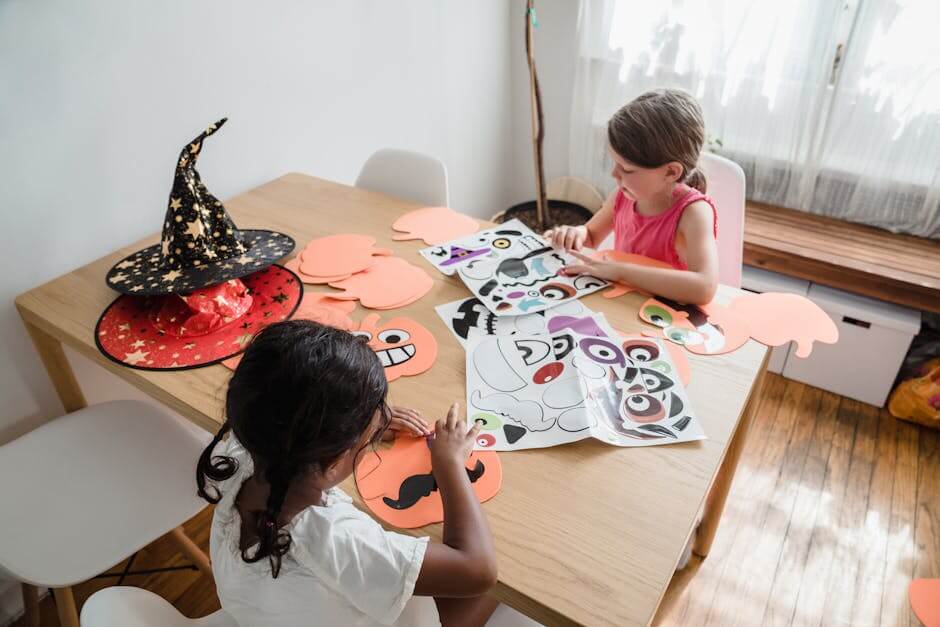
- Craft Foam: Adds dimension for masks or 3D decorations.
- Stencils: Use sturdy stencil material or acetate to transfer designs onto pumpkins or other surfaces.
Getting Started: Tips for Beginners
New to SVGs or cutting machines? No worries! Here are some tried-and-true tips for making your first Halloween Pumpkin Face SVG Bundle project a success:
-
Download High-Quality SVGs:
Always purchase or download from reputable sources to ensure your files are well-designed and compatible with your machine. -
Use the Right Software:
Cricut Design Space and Silhouette Studio both support SVGs. Import your files and adjust size as needed. -
Test Cuts First:
Try a small cut on scrap material to perfect your settings before starting your final project. -
Weed Carefully:
Use a weeding tool to remove excess vinyl, especially around intricate pumpkin face details. -
Layer with Care:
For multi-color faces, assemble layers slowly and use transfer tape for precise placement. -
Have Fun and Experiment:
Mix and match faces, try different materials, or personalize your designs with names or messages!
Advanced Project Ideas
Once you’re comfortable, take your Halloween Pumpkin Face SVG Bundle to the next level with creative twists:
- Glow-in-the-Dark Vinyl: Make pumpkin faces that light up at night for extra spookiness.
- Layered Shadowboxes: Use several SVG faces stacked in a shadowbox with LED lights for haunting wall art.
- Reusable Stencils: Cut durable stencils from mylar for painting dozens of pumpkins year after year.
- Personalized Trick-or-Treat Bags: Add your child’s name and favorite pumpkin face for a one-of-a-kind bag.
Where to Find the Best Halloween Pumpkin Face SVG Bundles
There are countless places to find SVGs, but quality and variety make all the difference. For a massive selection of Halloween Pumpkin Face SVG Bundles and more, check out SVG Kingdom. With over 200,000 designs, you’re sure to discover the perfect pumpkin face for your next masterpiece!
Conclusion
Halloween is the perfect season to let your creativity shine, and a Halloween Pumpkin Face SVG Bundle is your ticket to endless crafty fun. Whether you’re personalizing décor, making gifts, or creating unforgettable party accents, SVG files make it easy to achieve professional-looking results at home. Don’t wait—dive into your next project and make this Halloween your most creative yet!
Ready to get started? Browse the ultimate SVG bundle collection here and unlock hundreds of pumpkin faces and more!
Resources
- SVG Kingdom – 200,000+ SVG Designs
- Cricut: How to Upload SVG Files
- Silhouette Studio Software
- The Country Chic Cottage: Cricut Halloween Projects
- SVG Nation: Free Halloween SVGs
FAQs
What is included in a Halloween Pumpkin Face SVG Bundle?
Most bundles feature a variety of pumpkin face designs in SVG format, often with both cute and scary options, ready to use with Cricut or Silhouette machines.
Can I use Halloween Pumpkin Face SVGs for commercial projects?
It depends on the license provided by the seller. Always check licensing terms before selling products made from SVG designs.
What’s the best material for making pumpkin face stickers?
Adhesive vinyl works best for stickers because it’s easy to cut, weed, and stick to most surfaces, including pumpkins and windows.
Do I need special software to use SVG files?
Yes, you’ll need compatible software like Cricut Design Space or Silhouette Studio to open, resize, and cut SVG designs.
How can I make my pumpkin faces glow in the dark?
Use glow-in-the-dark vinyl or add LED lights behind layered paper or shadowbox designs for a spooky, illuminated effect.