Crafting Personalized Wedding Decor with Your Cricut Machine
Introduction
Planning a wedding involves countless details, and personalized decor can make your special day even more memorable. Using a Cricut machine, you can create custom Cricut wedding decor that reflects your unique style and adds a personal touch to your celebration. In this comprehensive guide, we’ll explore various wedding decor projects you can craft with your Cricut, from invitations to table settings and signage.

Personalized Wedding Decor with Cricut
Materials You’ll Need
Before you begin, gather these essential materials:
- Cricut machine: Preferably the Cricut Maker or Cricut Explore series.
- Cardstock: Various colors and textures for invitations, place cards, and more.
- Vinyl: Permanent or removable, depending on your project.
- Iron-on material: For fabric items like napkins or table runners.
- Transfer tape: For applying vinyl designs.
- Weeding tools: Essential for removing excess material.
- Design Space: Cricut’s design software, available on desktop and mobile devices.
Step 1: Designing Custom Invitations
Materials Needed:
- Cardstock: Choose high-quality cardstock for a professional finish.
- Envelopes: Match your cardstock for a cohesive look.
Steps:
- Open Cricut Design Space: Create a new project and choose a template or design your own invitation.
- Personalize Your Design: Add your wedding details, such as names, date, and location. Customize with fonts, colors, and graphics.
- Cut Your Invitations: Use your Cricut machine to cut the design from cardstock.
- Assemble Your Invitations: Fold and glue as necessary, and insert into envelopes.
Step 2: Creating Elegant Place Cards
Materials Needed:
- Cardstock: Choose a color that matches your wedding theme.
- Pens and markers: Use with the Cricut machine for writing guests’ names.
Steps:
- Design Your Place Cards: In Design Space, create a template for your place cards. Add guests’ names and any additional embellishments.
- Cut and Write: Use the Cricut machine to cut the place cards and write names with the pen attachment.
- Assemble: Fold the place cards and place them on your reception tables.
Step 3: Crafting Table Numbers
Materials Needed:
- Cardstock or acrylic sheets: Depending on your desired look.
- Vinyl: For numbers and embellishments.
- Frames or stands: To display the table numbers.
Steps:
- Design Your Table Numbers: Create a template in Design Space, adding the numbers and any decorative elements.
- Cut Your Design: Use your Cricut machine to cut the numbers from vinyl.
- Apply Vinyl to Base: Transfer the vinyl numbers to your chosen base using transfer tape.
- Display: Place the completed table numbers in frames or stands.
Step 4: Making Custom Signage
Materials Needed:
- Wood, acrylic, or foam board: Depending on where the sign will be displayed.
- Vinyl: For the text and decorative elements.
- Transfer tape: For applying the vinyl to your sign.
Steps:
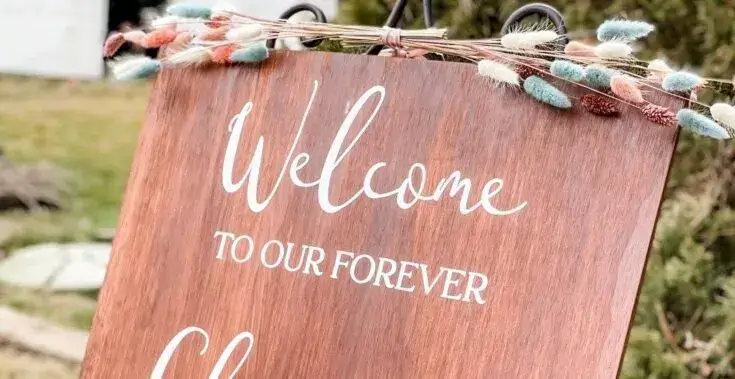
- Design Your Sign: In Design Space, create your sign design. This could be a welcome sign, directional sign, or any other signage you need.
- Cut Your Vinyl: Use the Cricut machine to cut the design from vinyl.
- Weed and Transfer: Weed the excess vinyl and use transfer tape to apply the design to your sign base.
- Display Your Sign: Place the sign at your venue to guide and inform guests.
Step 5: Personalizing Wedding Favors
Materials Needed:
- Small boxes or bags: For holding favors.
- Vinyl or iron-on: For personalizing the containers.
- Ribbon or twine: For tying up the favors.
Steps:
- Design Your Favor Tags: In Design Space, create tags or labels for your favors.
- Cut Your Design: Use your Cricut machine to cut the designs from vinyl or iron-on material.
- Apply the Designs: Adhere the vinyl or iron-on to your favor containers.
- Assemble and Distribute: Fill the containers with your chosen favors and distribute them to guests.
Tips for Success – Cricut Wedding Decor
- Plan Ahead: Start your projects early to avoid last-minute stress.
- Test Your Designs: Before cutting your final materials, do a test cut on scrap material.
- High-Quality Materials: Use high-quality materials to ensure your decor looks professional and lasts through the event.
- Practice Weeding: Get comfortable with weeding to ensure clean and precise designs.
Cricut Wedding Decor Conclusion
Creating personalized wedding decor with your Cricut machine allows you to add a unique and heartfelt touch to your special day. From invitations to signage and favors, your guests will appreciate the attention to detail and the effort you put into making your wedding truly special. For more project ideas and high-quality SVG files, visit SVGKingdom.com and SVGBundle.net. Happy crafting!
FAQs
1. Can I use my Cricut machine to cut fabric for wedding decor?
Yes, Cricut Maker is particularly well-suited for cutting fabric. You can create custom table runners, napkins, and other fabric decor items.
2. How do I ensure my vinyl designs last on wood or acrylic signs?
Use permanent vinyl for long-lasting designs and make sure the surface is clean and smooth before applying the vinyl.
3. Can I design wedding decor on my mobile device?
Yes, Cricut Design Space is available as a mobile app for iOS and Android devices, allowing you to design on the go.
4. How do I clean my Cricut cutting mat after working with cardstock?
Use a scraper tool to remove leftover bits and a lint roller to pick up small particles. You can also rinse it with water and let it air dry.
5. Where can I find more wedding decor design ideas and tutorials?
For more inspiration and tutorials on Cricut projects, check out the official Cricut blog and YouTube channel. Additionally, SVGKingdom.com and SVGBundle.net offer a wide range of SVG designs to enhance your crafting projects.
Sources
For more inspiration and tutorials, check out these external links: